Tennis court reservations your neighborhood actually uses.
The clipboard zip-tied to the fence becomes a real booking system for your tennis and pickleball courts, right inside the private app your neighbors already use for the directory. Set the rules once; members book in a few taps and never double-book.
30-day free trial. No credit card. Cancel anytime.

Booked once, booked right.
The rules run automatically on every booking, so the courts stay fair without anyone refereeing them.
No double-bookings.
Two members can never hold the same court at the same time. Back-to-back slots are fine; overlaps are rejected.
Only real openings.
Times in the past, inside the lead time, past the window, already taken, or under a blackout show up disabled with the reason, never as a slot that fails when you tap it.
Your local time, always.
Hours, blackouts, and slots all run in your neighborhood's own time zone, so a 6 PM slot is 6 PM.
For admins
Manage the courts from your phone, or the big screen.
Residely is mobile-first, so admins run everything from the iOS or Android app: add a court, set the rules, drop in a blackout, or approve a request, all from the same app members use. Prefer a bigger screen to set things up? The web app has every one of the same features. Same data, same controls, whichever you reach for.
Hours and limits
Set the rules. Residely keeps everyone honest.
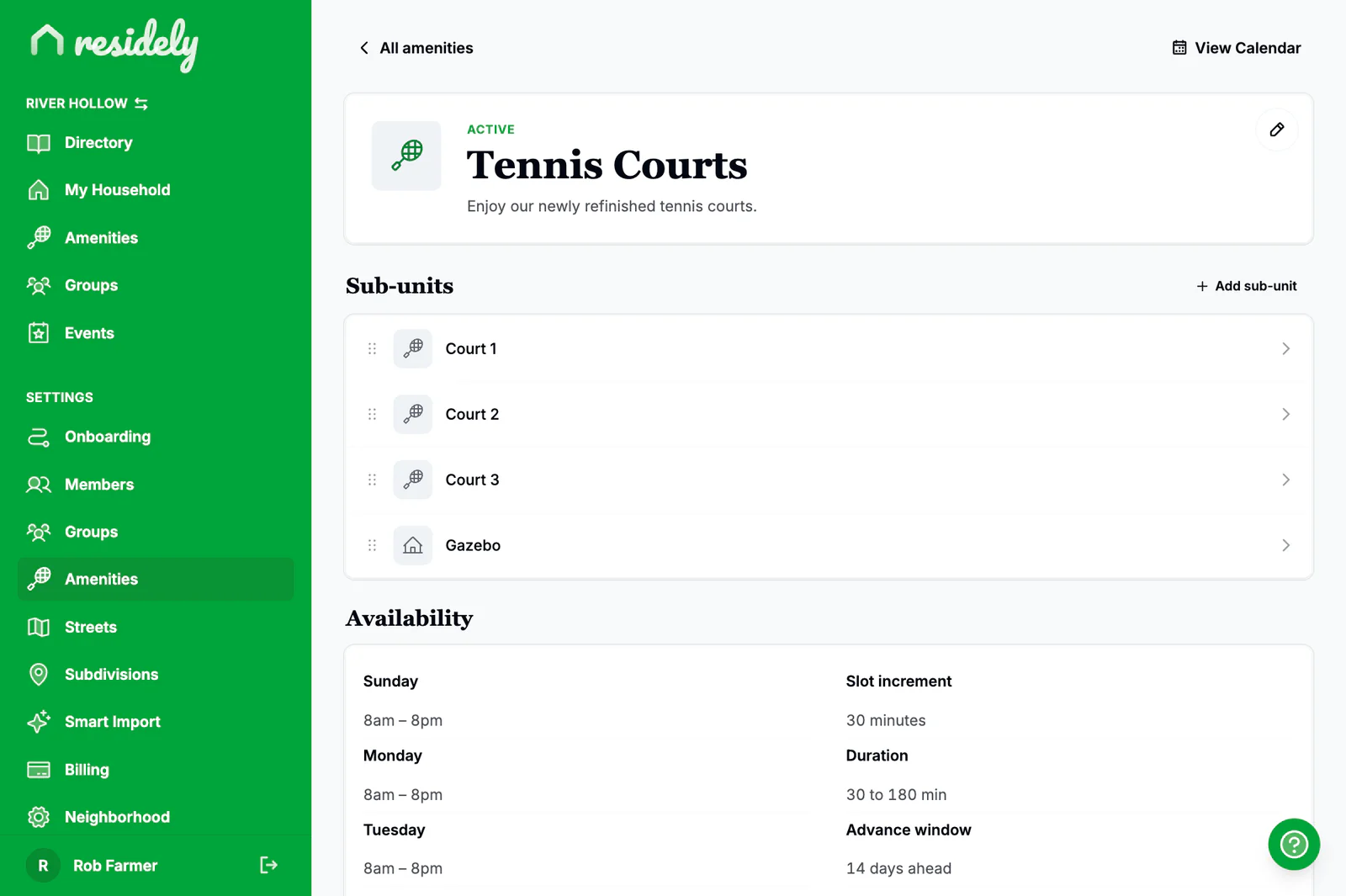
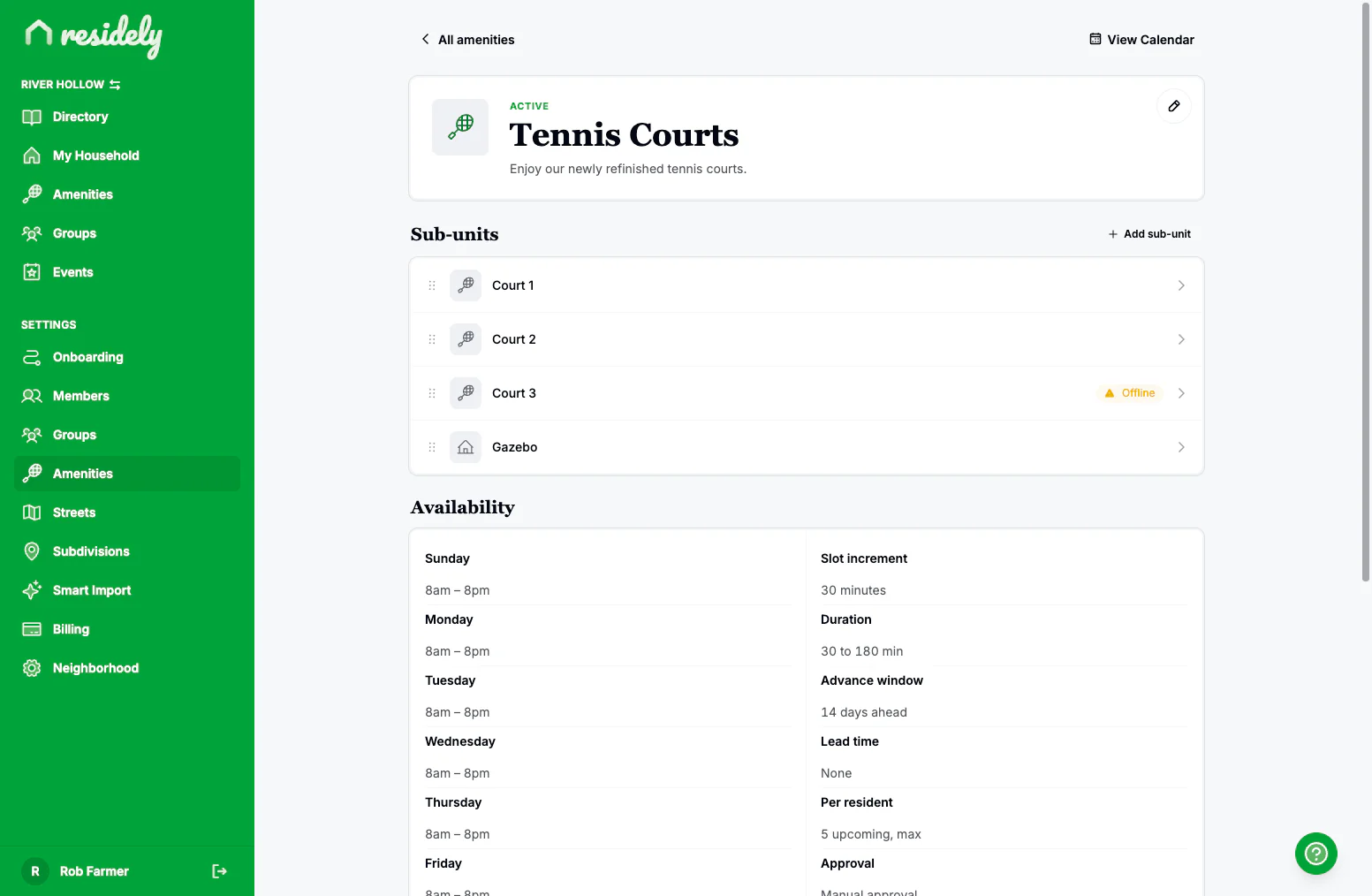
Define the rules once on the admin screen and members only ever see slots they can actually book.
- Hours.
- Open 7 AM to 9 PM on weekdays, shorter on weekends, closed Mondays. Set hours per day.
- Lead time and window.
- Require an hour's notice and cap how far ahead members can book, say 14 days out. Both configurable.
- Durations.
- Minimum and maximum length, in 15- or 30-minute increments.
- Per-resident cap.
- Limit how many open reservations one household can hold so nobody books every prime evening.
Courts
One amenity, every court.
Some amenities are really several bookable things. Model each court as a sub-unit, up to ten, including courts lined for both tennis and pickleball. Mark a single court offline while it's being resurfaced and the rest stay bookable. Add private notes only admins see, and members with two or more courts pick one or let Residely assign any open court.
Blackouts and approvals
Close the courts, or hand off approvals.
Keep oversight where you want it and let the rest run on its own.
- Blackouts with reasons.
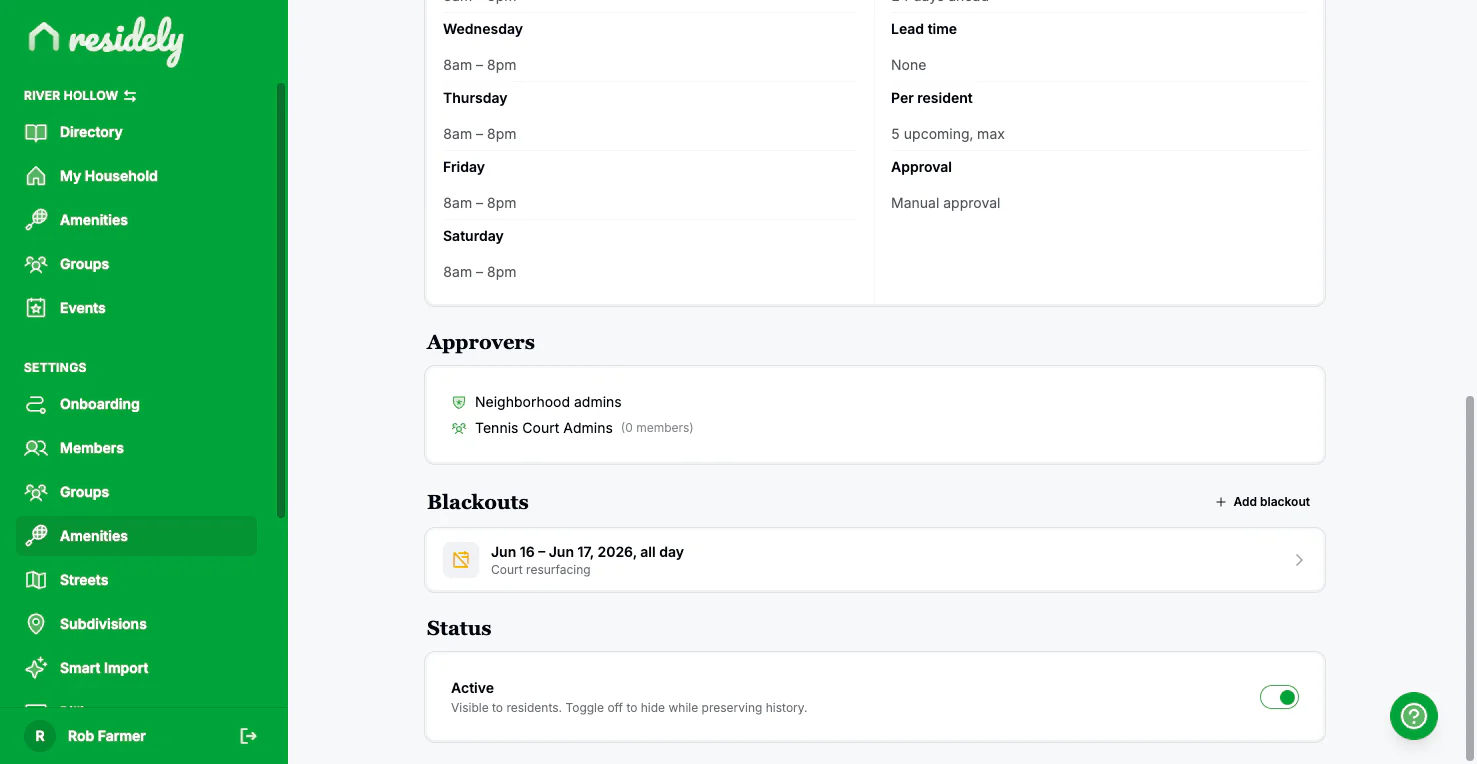
- Block league night or a tournament weekend. Residely shows which existing bookings a blackout would hit before you save.
- Instant or approval-required.
- Let casual courts confirm immediately, or route every request for a yes. Per amenity.
- Delegate approvals.
- Hand court approvals to a group like a tennis committee, no full admin access required.
Oversight
See every court at a glance.
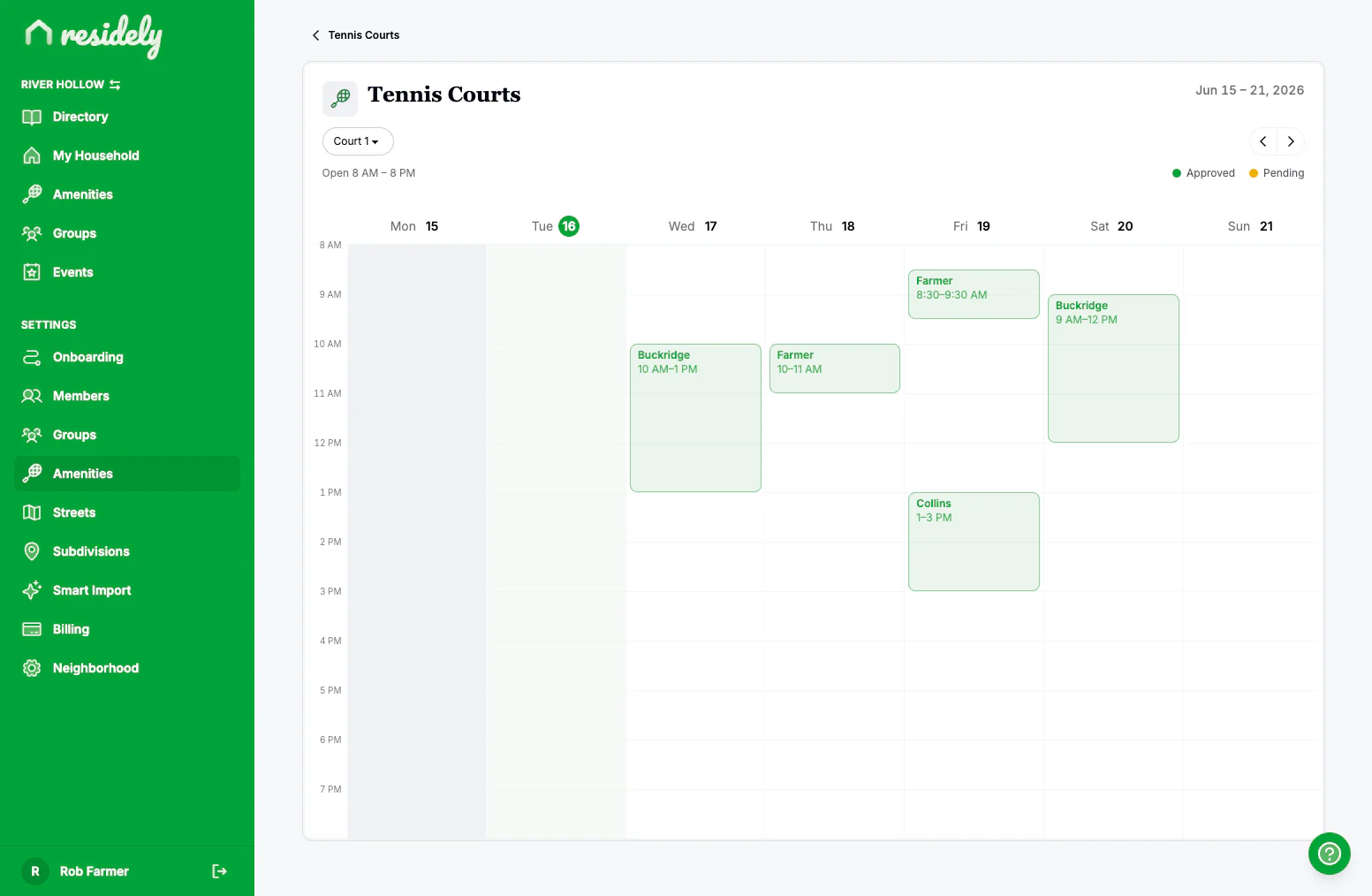
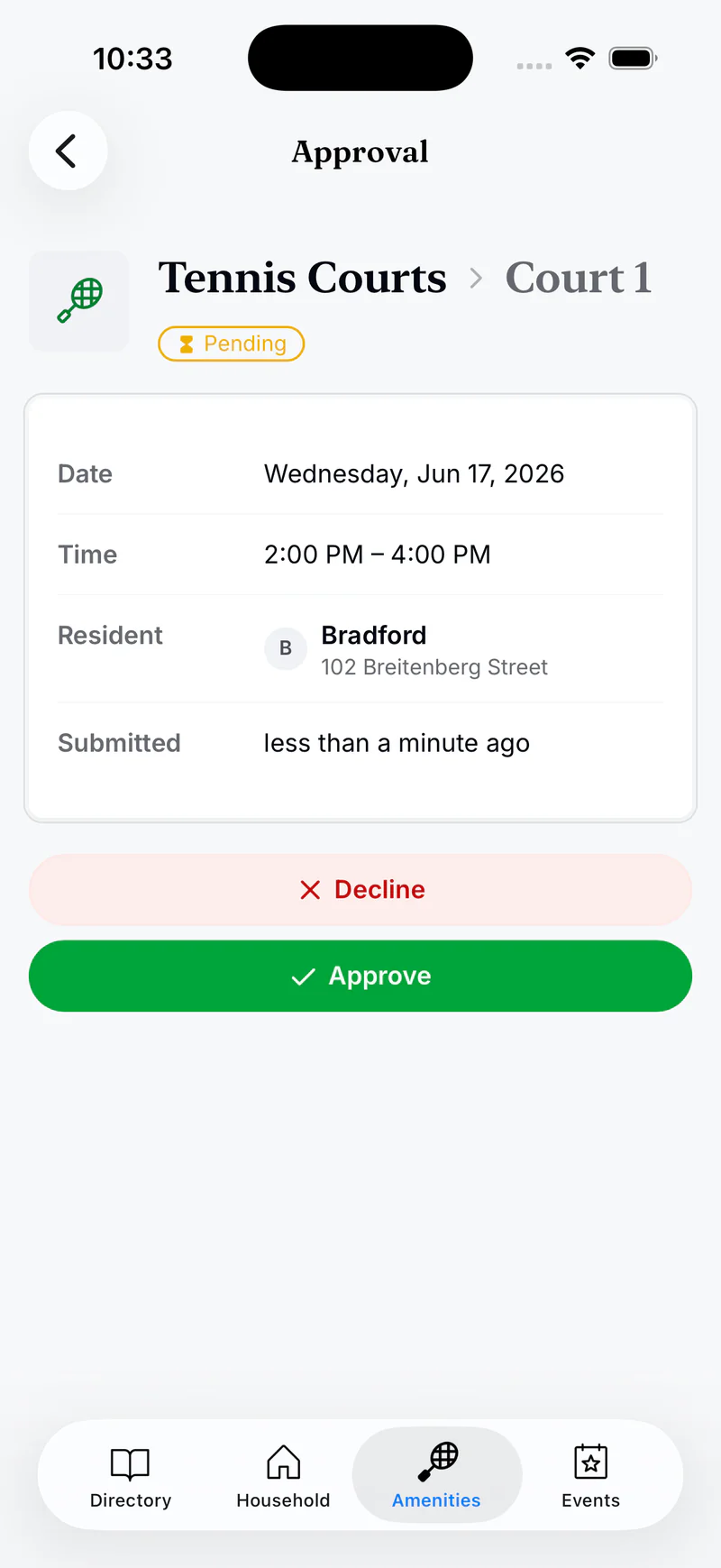
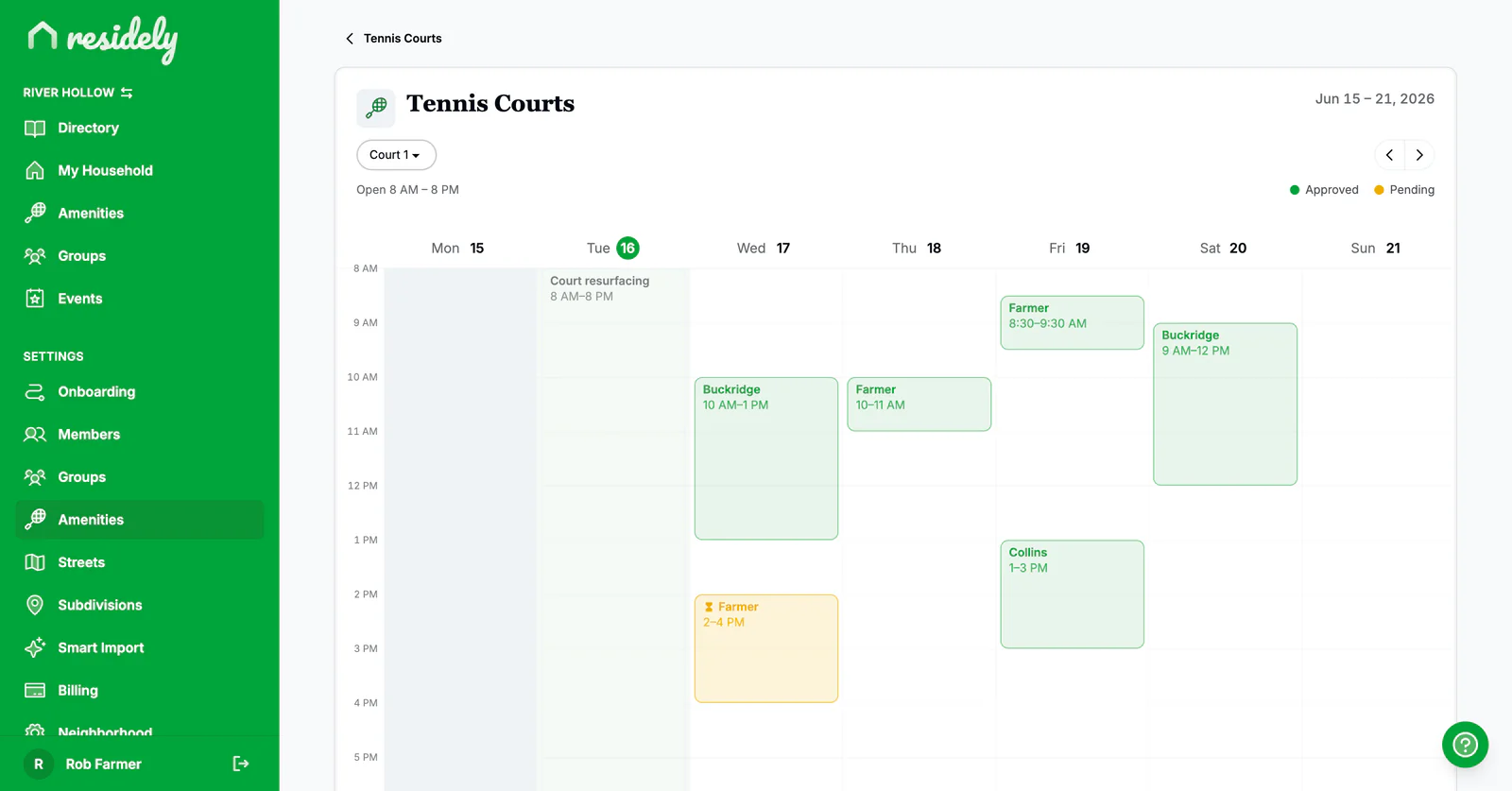
A week calendar shows every court's bookings by name, color-coded by status, so it's easy to scan who has what. Cancel any reservation when a court has to close, and approve or decline with a short reason that emails the member.
For members
A booking in under a minute.
Everything members do lives in the Amenities tab, on the phone already in their pocket. The same flow on web, iOS, and Android.
- 1Pick a date
- 2Choose a duration
- 3Pick a court (or Any)
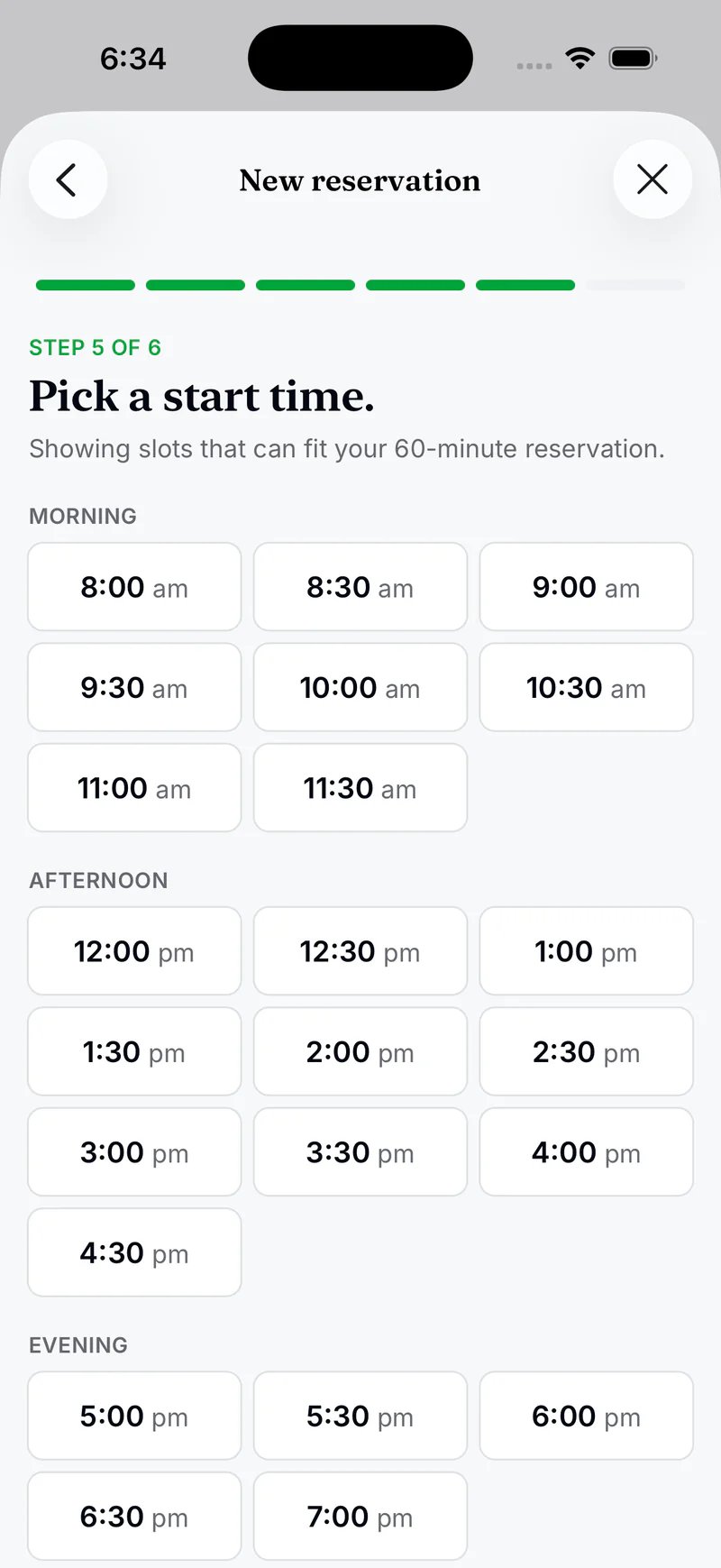
- 4Pick a start time
- 5Review and book
The court step is skipped when an amenity has just one court. Unavailable times show disabled with the reason, in the past, inside the lead time, already taken, so there's no guessing why a slot won't take.
Booking
Pick your court, or let us pick.
With two or more courts, members choose the one they want or pick any open court and let Residely assign a free one. On the review step they acknowledge the house rules and can add a note. Instant-book courts confirm on the spot; courts that need approval go in as pending.
Availability
See the whole week, privately.
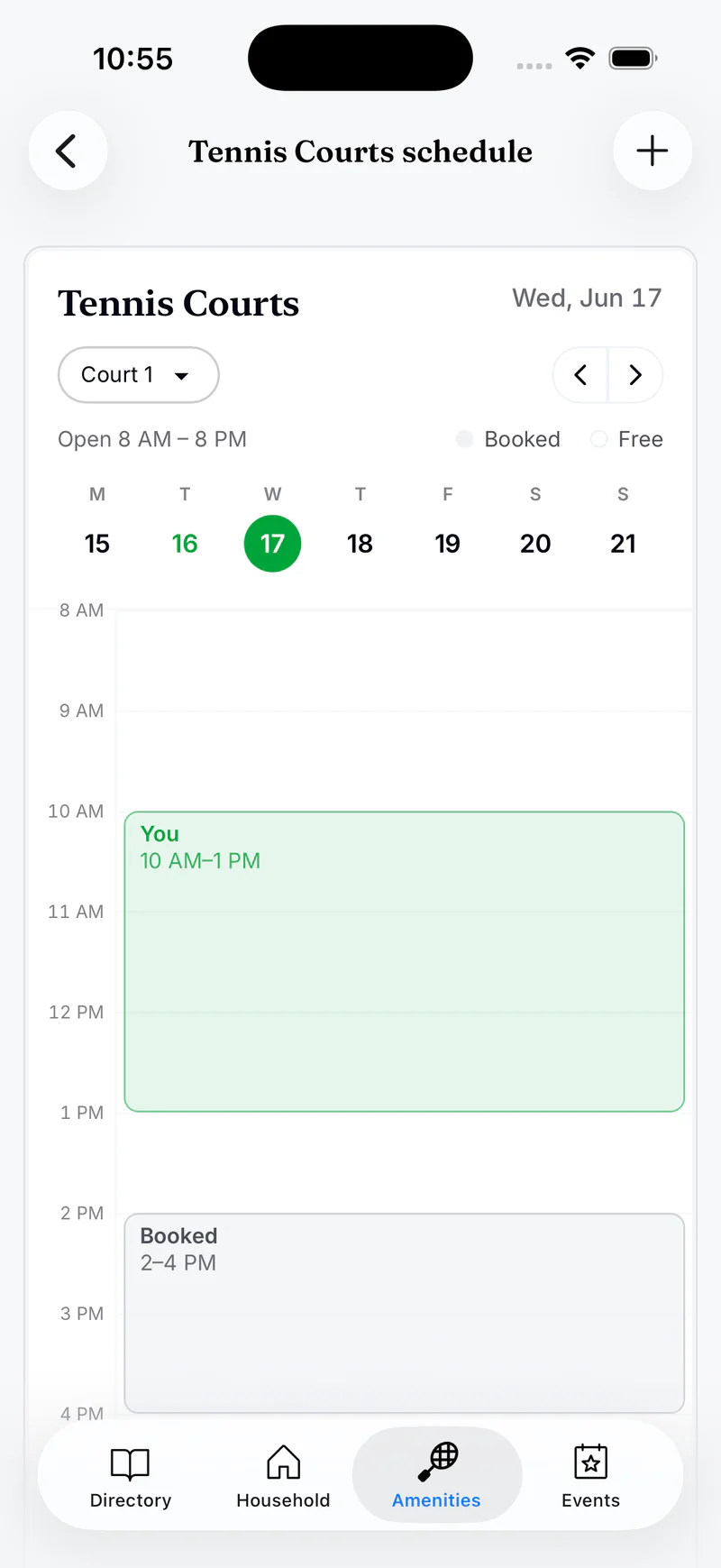
A week-view calendar shows every court at a glance. Members see their own bookings labeled and everyone else's as anonymous booked blocks, so they can plan around busy times without seeing who booked what. Tap any open slot to start a booking already filled in for that court and time.
Keep track of every reservation.
Upcoming and past, with a clear status.
Every booking carries a badge: pending, approved, completed, declined, or cancelled. If a request is declined, the approver's reason is right there. If plans change, members cancel and free the court for someone else.
An email when it counts.
Members get an email the moment a pending request is approved or declined, so nobody is left refreshing the screen.
It lives in the app your neighbors already have.
A standalone court-booking product is one more app to download, one more login to forget, and one more list to keep in sync with who actually lives here. Residely's court reservations run inside the directory app your neighborhood already uses, same residents, nothing to export, and availability stays private to your community instead of posted on the open web.
Give your tennis and pickleball courts a real booking system.
30-day free trial. Included in every plan.