Everything your neighborhood needs in one app.
A household directory residents update themselves. Event RSVPs and sign-ups. Pool, court, and clubhouse reservations. Shared documents and neighborhood announcements. All inside the same private, mobile-first app, not five separate tools.
Neighborhood Directory
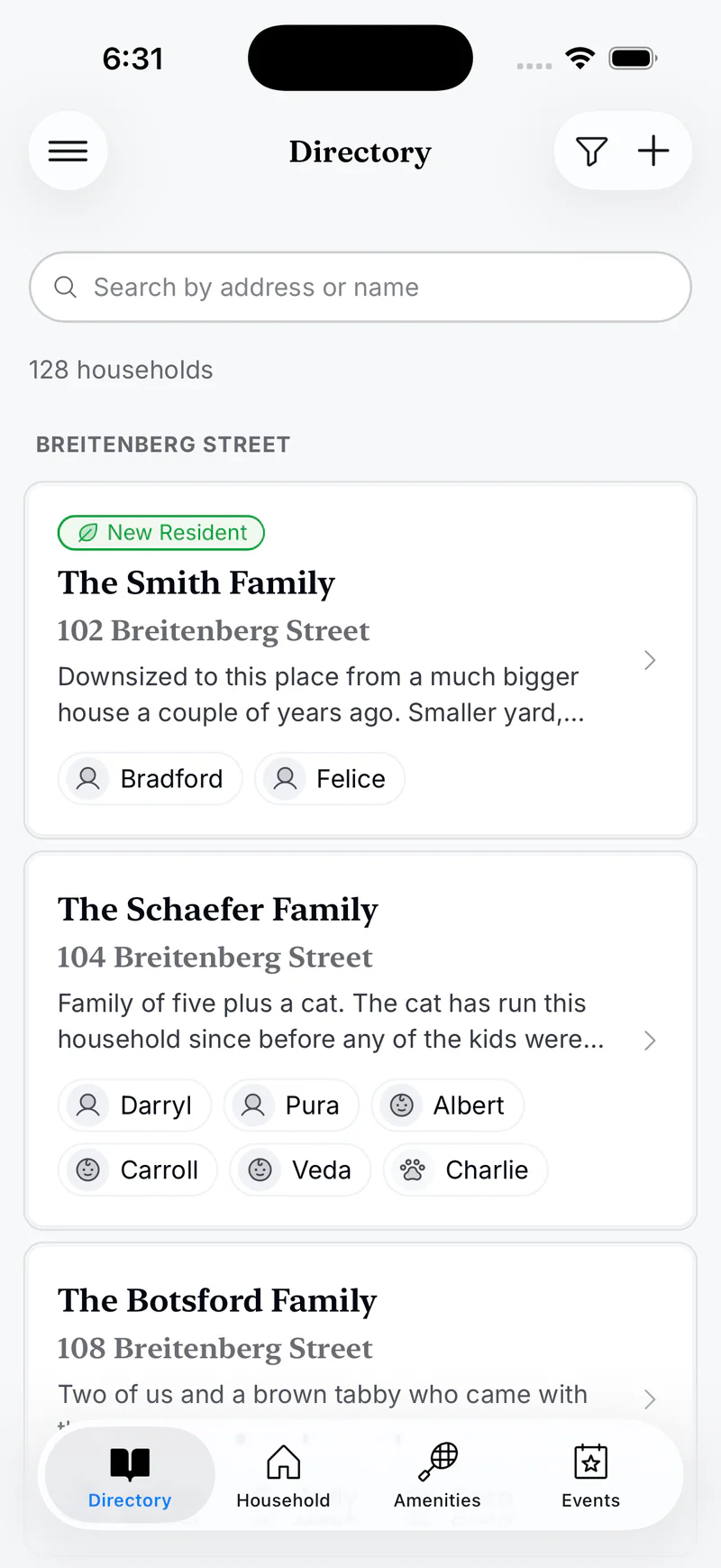
Your directory, always up to date.
Find neighbors by name or street, and welcome the families who just moved in.
- Smart search.
- Search by name, street or subdivision.
- Filters that match how admins think.
- By street, subdivision, new residents, unclaimed.
- Opt-out.
- Residents who want privacy can hide their household entirely. They still see it but nobody else does.
- Everyone gets a spot.
- Adults, kids and even your pets.
Event RSVPs
Invites, RSVPs, and sign-ups, in one place.
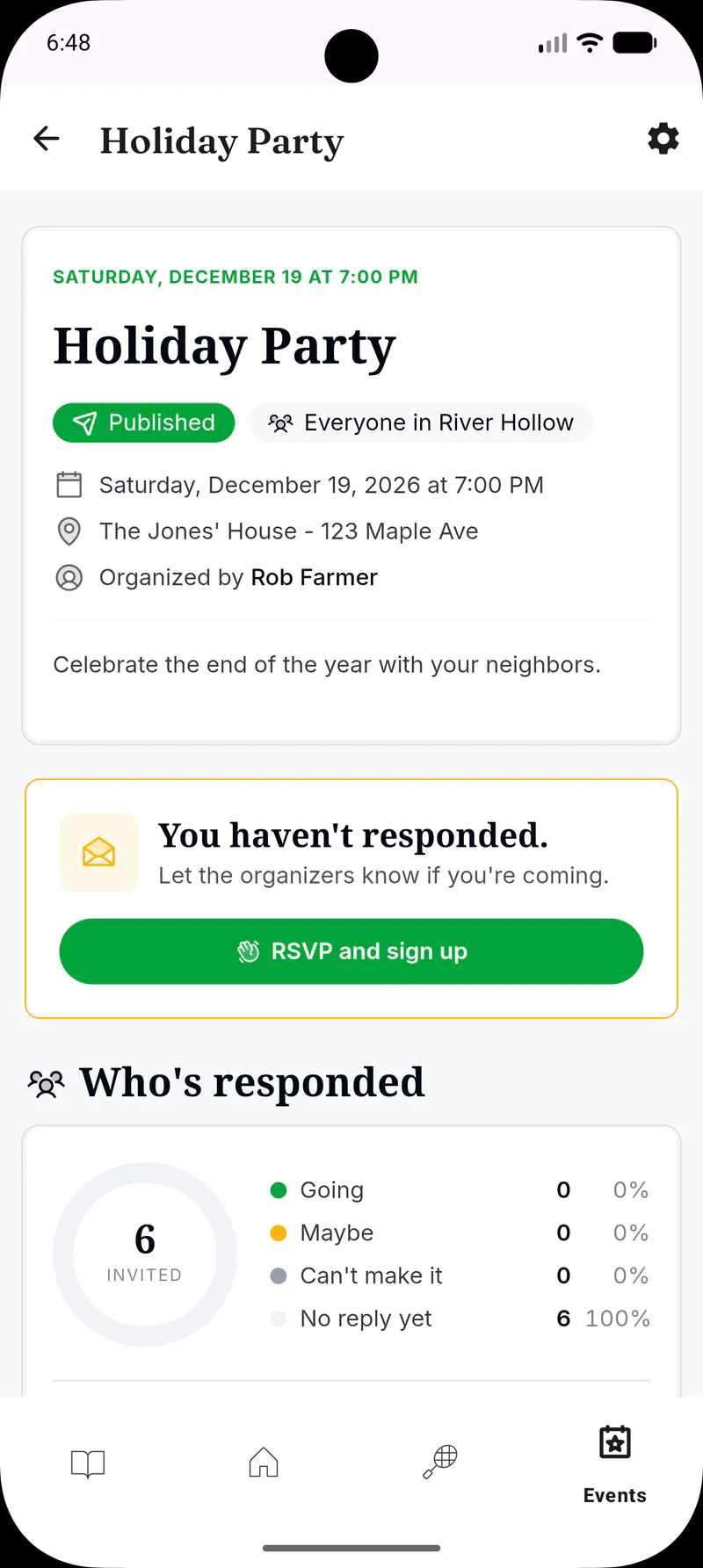
Invite the whole neighborhood, a single street, or just the swim committee. Collect RSVPs with a headcount by type (adults, kids, dogs), and run the “who’s bringing what” sign-up list on the same event. Replaces Evite and SignUpGenius.
Summer BBQ
- Sat, Jul 12 at 4:00pm
- Clubhouse
Food
Volunteers
Amenity Reservations
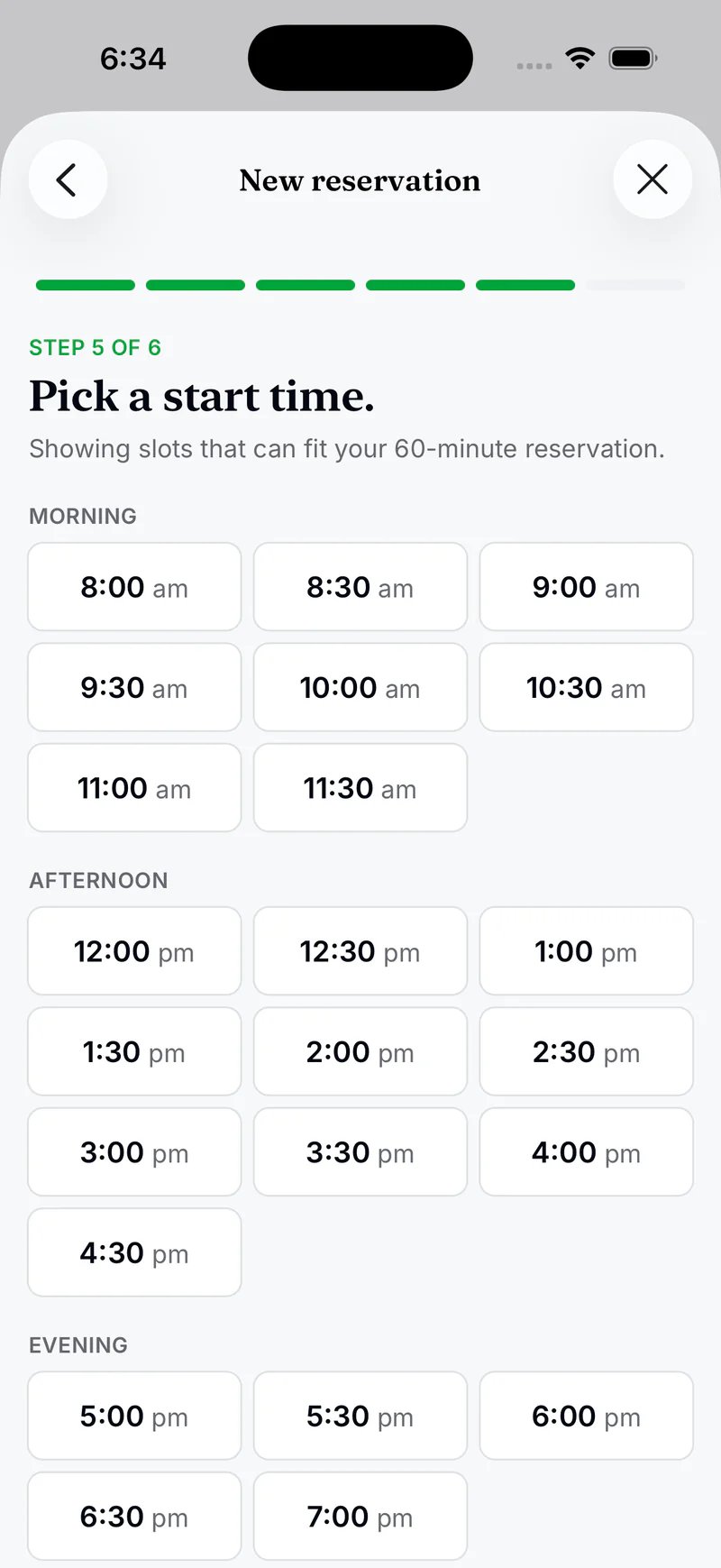
The pool, the courts, the clubhouse, bookable in seconds.
Hours, lead times, durations, approval rules, and blackouts, all per amenity. Residents book in a clean wizard. Approvers and bookers both get an email.
Documents
One shared home for your neighborhood's files.
Bylaws, meeting minutes, forms, and newsletters, kept in nested folders and shared on your terms. Residents find and download what's theirs; the board keeps its working files to itself.
- Folders that fit.
- Nest folders up to five levels, and upload PDFs, Office files, and images (single or up to 25 at once).
- You decide who sees what.
- Visible to everyone by default; restrict any folder or file to specific people or a group.
- Version history.
- Replace a file and every version is kept, so you can restore an earlier one.
- BylawsEveryone
- BoardRestricted
- 2026-newsletter.pdf
- pool-key-request.docx
Messages
Reach your whole neighborhood in one message.
Send an announcement to everyone, a committee, or the directory. Each person gets it in their Messages inbox and by email, and admins choose who is allowed to send.
- Any audience, combined.
- Admins, all members, the directory, or a group, combined in a single message, with a live count of who it reaches.
- Inbox and email together.
- Every message shows up in each resident's inbox and goes out by email too.
- You choose who can send.
- Admins can send by default; turn on sending for a group so a committee can post too.
- Pool closed this weekendBoard
- Fall festival sign-ups are openSocial
- Welcome to our newest neighborsAdmins
Groups
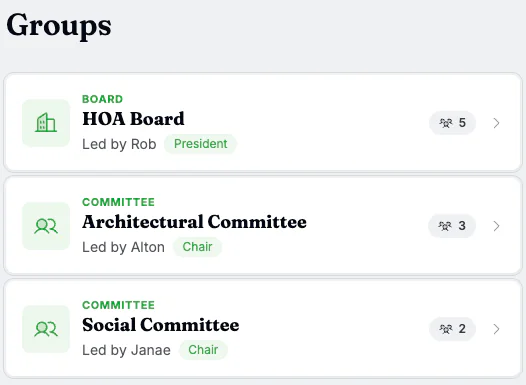
Boards, committees, and groups.
Give your HOA board, architectural committee, social chair, and every other group that keeps the neighborhood running a home in Residely.
- Three kinds of groups.
- Board, Committee, and Other, each with sensible default roles.
- Per-role public contact.
- Residents can see who to contact when they need something.
- Public or private.
- Architectural-review committee that wants to work quietly? Private is one toggle.
- Manage roles.
- President, Vice President, Treasurer, Chair, and any other role your groups use.
Smart Import
Up and running in minutes.
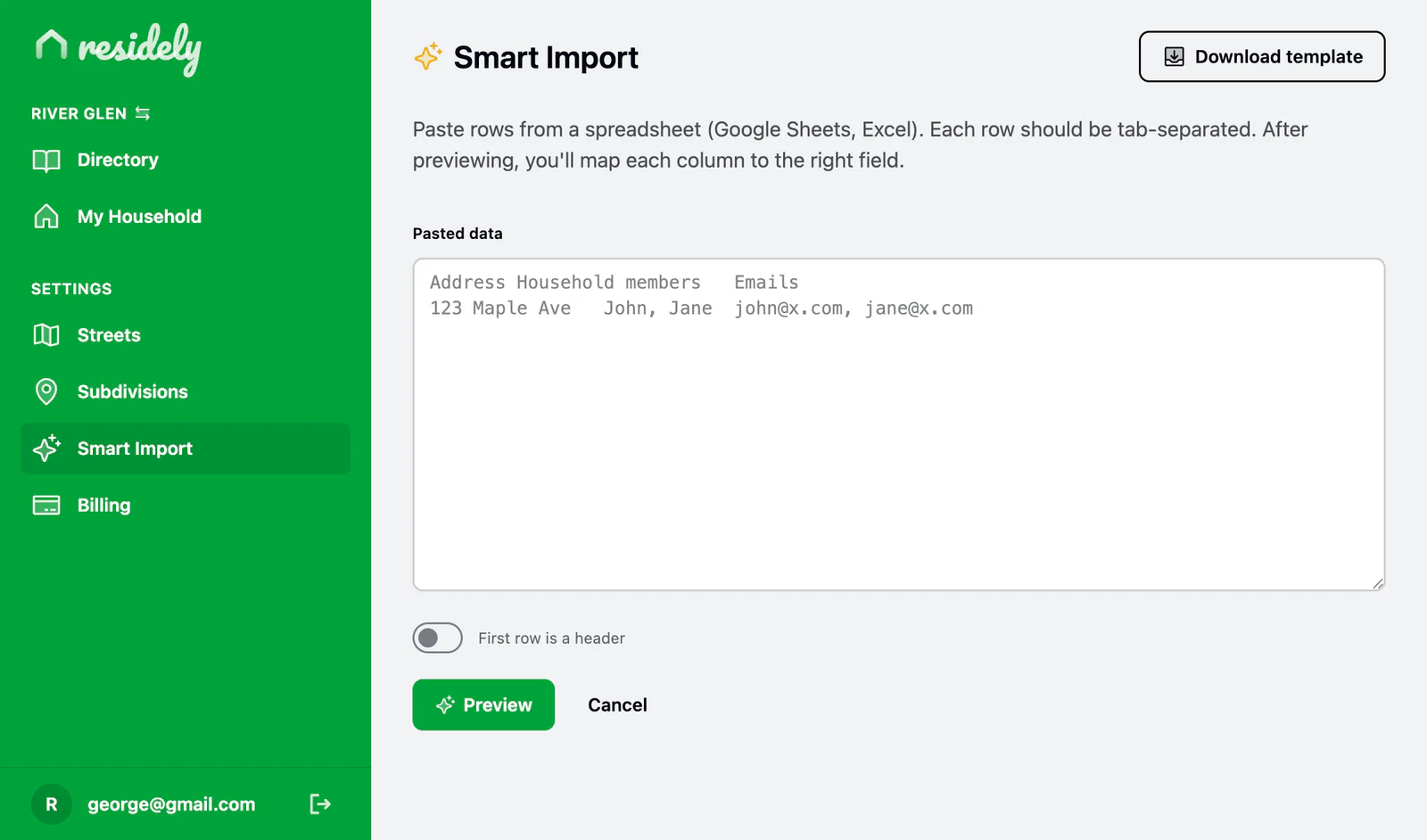
Most neighborhoods already have a list. A spreadsheet, a board list, a Google Sheet someone's been maintaining for years. Smart Import meets you there. Paste it in, map the columns, look it over, and you're done. Residely creates streets, households, and members in one pass, and matches existing email addresses so those residents are pre-claimed when they sign in.
- Copy & paste.
- Google Sheets, Excel, Numbers, paste directly into Residely. Even in the mobile apps.
- Flexible mapping.
- Your spreadsheet doesn't need to look like ours. Line up Surname with Last name, Mobile with Phone.
- Preview before you import.
- Spot-check the first ten rows with your mapping applied.
- Pre-claim by email.
- When a resident signs up with the same email you imported, the household is already linked.
Custom Fields
The fields your neighborhood needs.
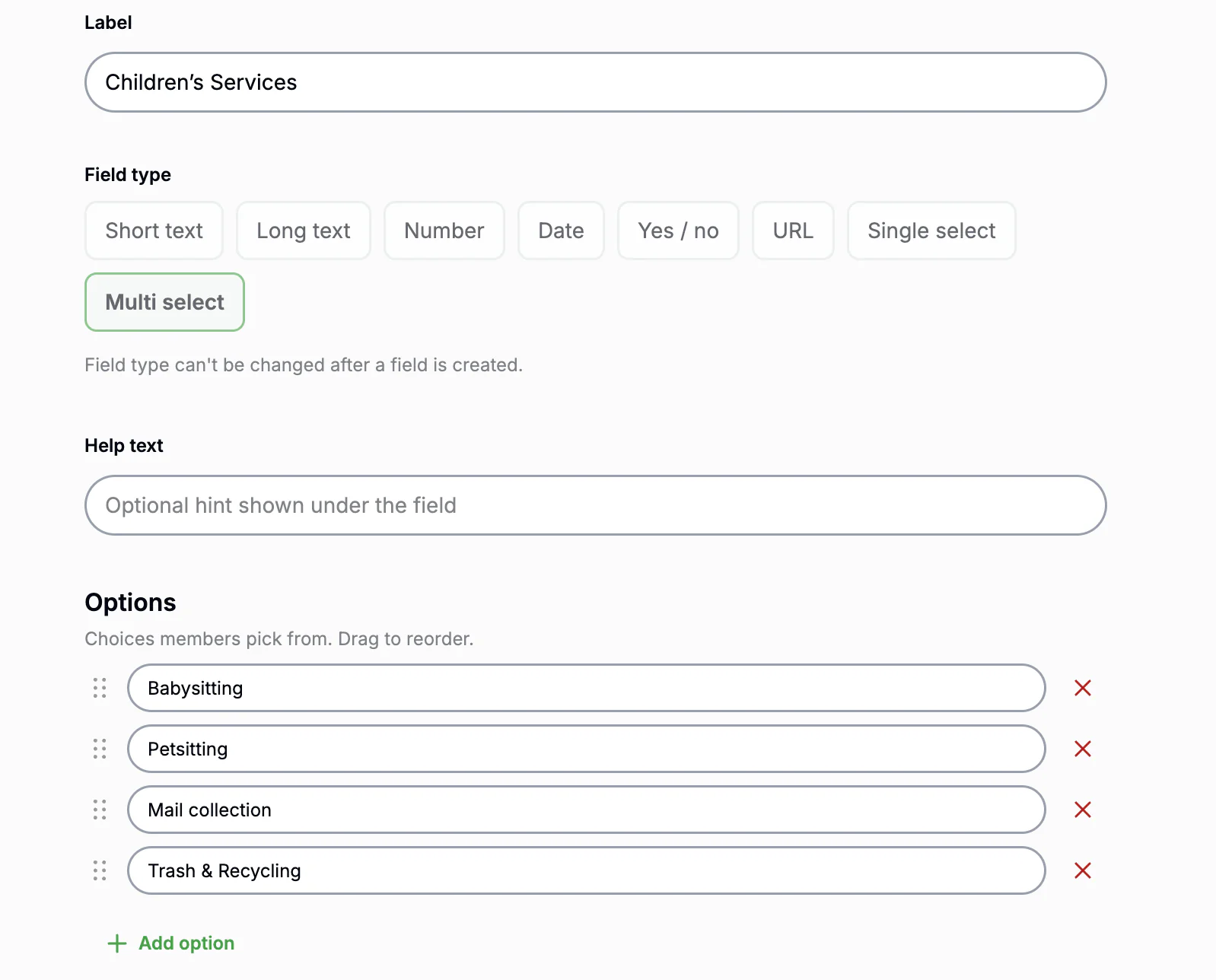
Every community tracks something a little different, babysitters, schools, dietary needs, dues status. Add your own fields to households and residents, then show them where they matter.
- Eight field types.
- Text, numbers, dates, yes/no, links, and pick-lists, grouped into tabs.
- Front and center.
- Promote the fields that matter onto directory and profile cards, as a label or a badge.
- Filter by what you added.
- Turn any field into a directory filter so neighbors find exactly who they need.
- Bulk-ready.
- Custom columns flow through Smart Import and export, so setup and updates stay fast.
Onboarding Dashboard
Every household, accounted for.
One screen for the people running the directory. Watch households claim themselves, nudge the holdouts, and approve new members without leaving the page.
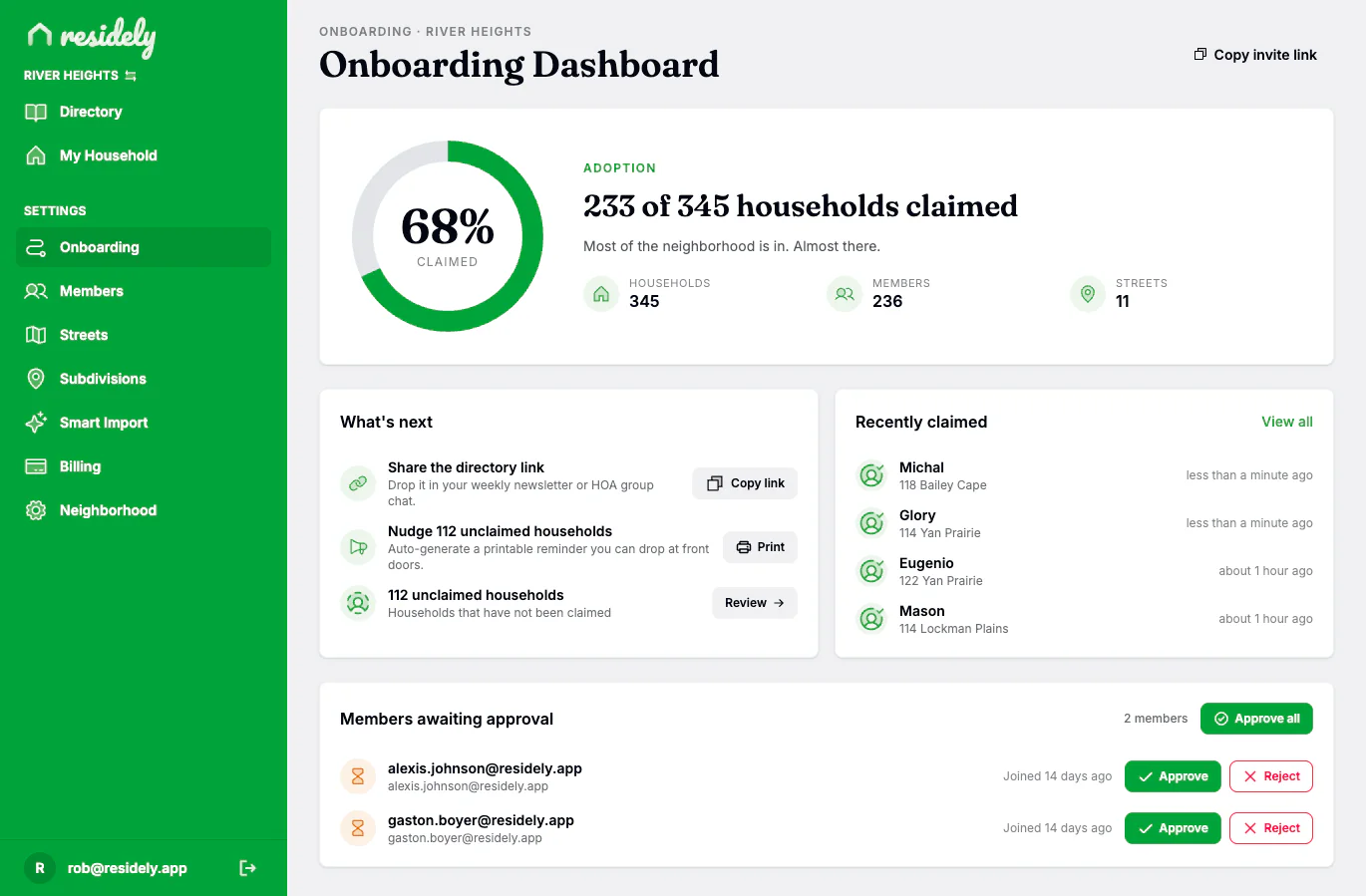
- Adoption at a glance.
- A single ring shows how many households have claimed themselves. No spreadsheets to cross-reference.
- One-click invite link.
- Copy your directory's join link and drop it into a newsletter, group chat, or HOA email in seconds.
- Printable door-hangers.
- Auto-generate a flyer for every unclaimed household so volunteers can drop reminders at the door.
- Approve members fast.
- Review pending sign-ups one tap at a time, or approve everyone waiting with a single button.
- Live activity feed.
- See who just joined as it happens. Names, addresses, and when they claimed.
- Find the holdouts.
- Drill into the households that haven't claimed yet and decide who to nudge next.
Privacy
Private by default. Yours by design.
Every neighborhood is walled off from every other. Residely is not indexed by search engines, not algorithmic, not ad-supported. Privacy controls work at the household level and the field level, residents who want to be off the grid can hide their household entirely.
- Walled-off neighborhoods.
- Each is its own private space. No cross-neighborhood visibility.
- Hidden households.
- A household can be hidden from the directory; only its members and the admins see it.
- Optional fields.
- Residents choose what to share. Address, sure. Phone number, maybe. Email, only if you want it shown.
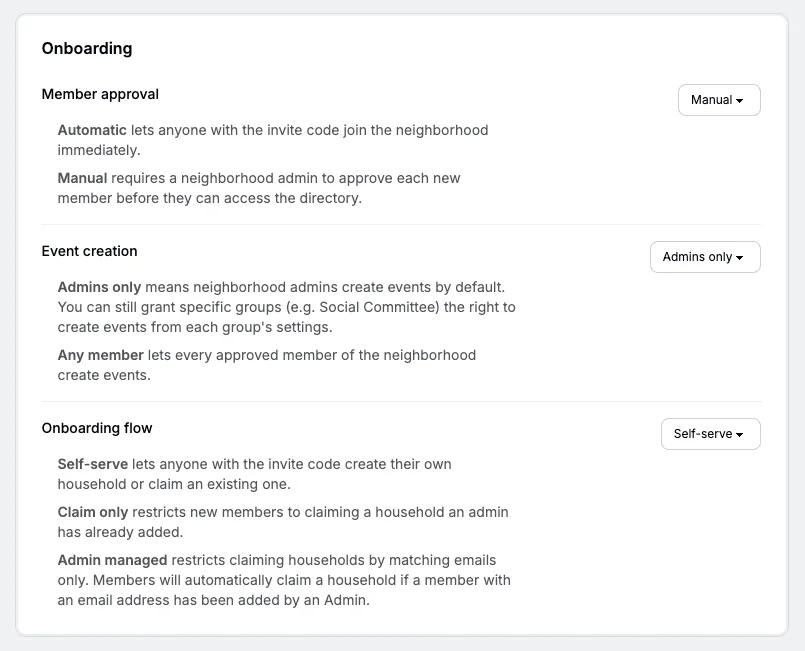
- Manual approval mode.
- Want every new member reviewed before they're in? One setting.
iOS + Android
Native apps. Same data everywhere.
Residely is available on web, iOS and Android.
- Native iOS app.
- Available on the App Store.
- Native Android app.
- Available on Google Play.
- Web app for the big screen.
- Same data, designed for the desktop.


Bring it all together for your neighborhood.
30-day free trial. Everything above, unlocked.